Featured Case Study
Project COMPASS
Designing a lower-friction learning system to reduce information scavenging, support faster decision-making, and lighten cognitive load for specialists.
Project COMPASS was designed to help specialists spend less time hunting for information and more time acting on it. I created a clearer training and performance-support experience by combining structured onboarding, a color-coded workflow system, and quick-reference decision aids.
The Challenge
The Problem
Specialists were working in an environment shaped by information scavenging and time poverty. Critical information lived across multiple tools, documentation expectations were not always intuitive, and important next steps could be hard to locate in the moment.
The learning challenge was not simply a knowledge gap. It was a performance problem shaped by cognitive overload: too many places to look, too many decisions to make, and too much friction between “What do I need?” and “What do I do next?” Project COMPASS was designed to reduce that friction and make the right actions easier to find, understand, and complete.
Fragmented information
Key resources and procedures were easy to miss or hard to retrieve quickly.
Time poverty
Specialists needed support that respected busy workflows and reduced search time.
High cognitive load
When people have to hunt for instructions, decision quality and confidence can suffer.
The Response
The Solution
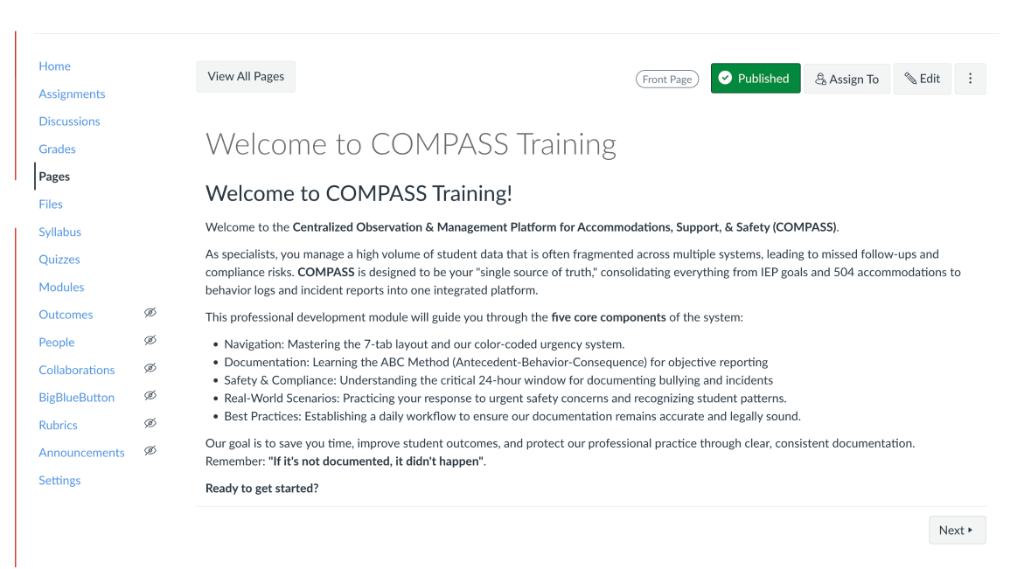
I designed Project COMPASS as a more navigable learning and performance-support system. The solution combined a structured Canvas onboarding module, a color-coded spreadsheet workflow, and quick-reference tools that helped users locate the right information faster and make clearer decisions with less mental effort.
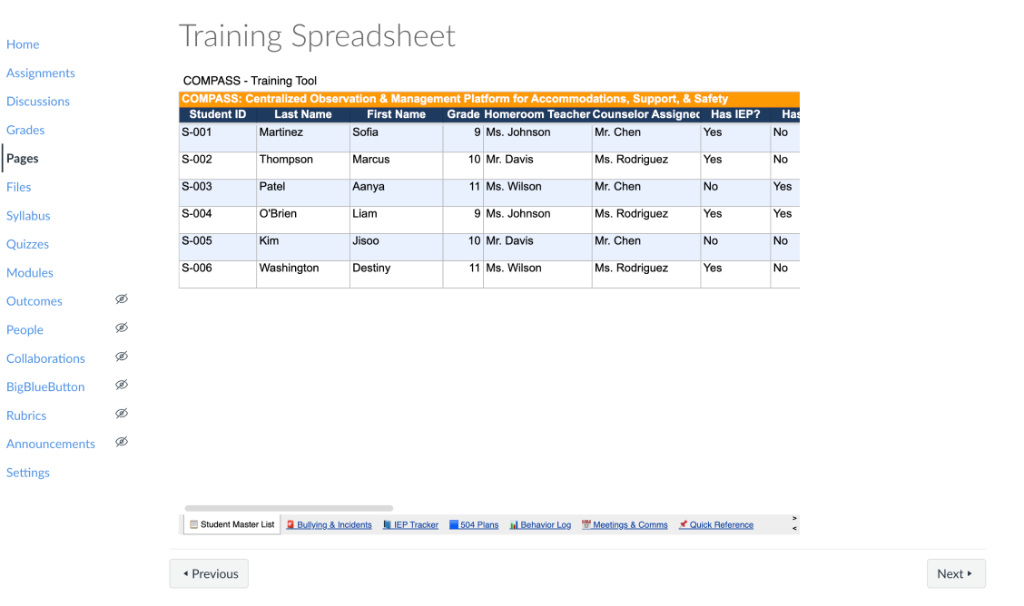
Performance support was built directly into the experience so users could move from orientation to action without switching mental contexts.
Behind the Scenes
The Process
This project was guided by an ADDIE-informed design process. Rather than treating the module as a one-off training artifact, I approached COMPASS as a system: part onboarding experience, part workflow support, and part decision aid.
Identified the friction created by scattered resources, inconsistent documentation habits, and time-poor workflows.
Structured the experience around clarity, findability, and reduced cognitive load.
Built the Canvas module, the color-coded spreadsheet system, and quick-reference performance supports.
Organized content so specialists could move from training into use with less confusion and fewer dead ends.
Refined the structure based on how effectively the materials supported faster understanding and clearer next steps.
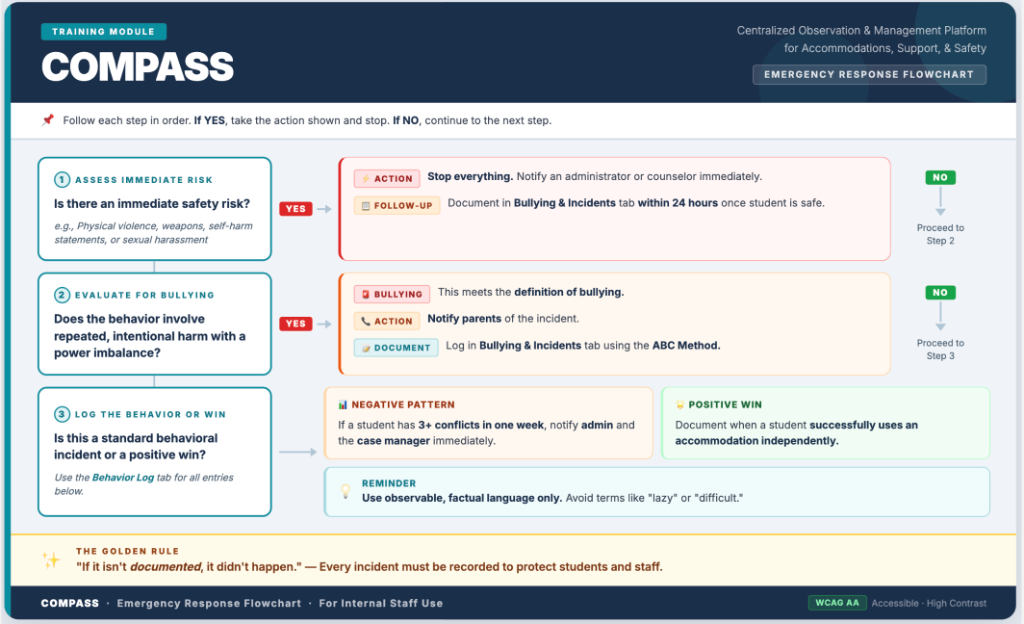
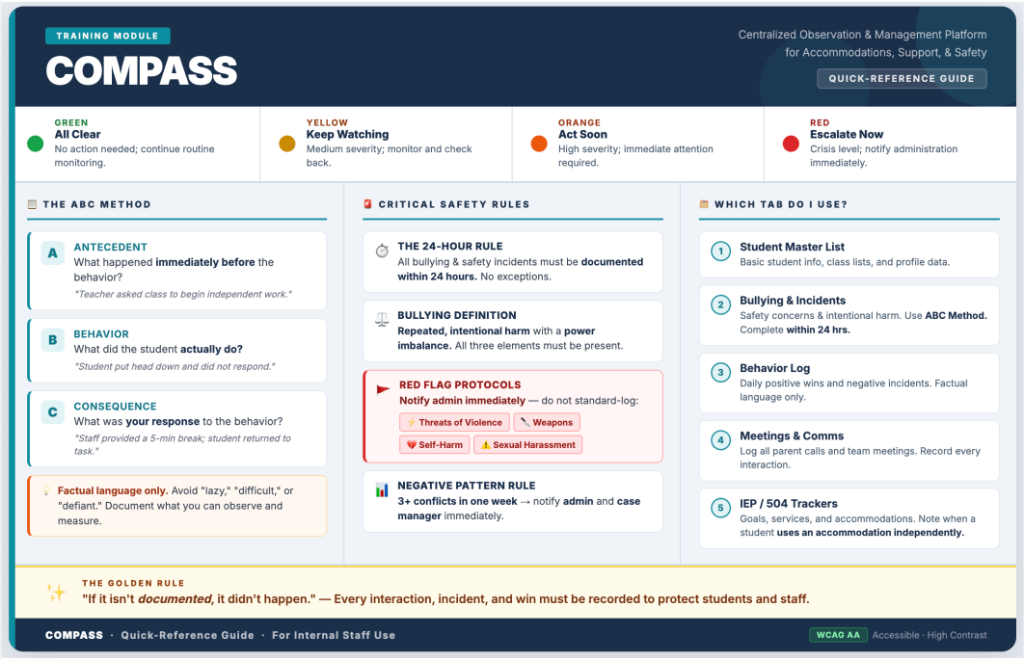
Behind the scenes, the work focused on organizing content so that structure itself became support. The goal was not just to teach the process, but to make the process easier to follow.
Outcomes
The Impact
Project COMPASS was designed to improve how specialists accessed, interpreted, and acted on information. Its impact was not only instructional; it was operational. By making resources easier to find and decisions easier to follow, the experience supported stronger mastery and reduced avoidable cognitive burden.
Mastery growth
The structure supported clearer understanding of what to do, where to look, and how the pieces fit together.
Reduced cognitive load
Users did not need to rely on memory alone or search across scattered resources to complete key tasks.
Clearer decision-making
Flowcharts and quick-reference supports helped turn ambiguity into actionable next steps.
More confidence in task completion
The combination of training and performance support made the workflow feel more usable and less overwhelming.
What I’d do next
In a future iteration, I’d expand the page with learner feedback, sketch artifacts, and additional before-and-after examples to show the design evolution even more clearly.
Visual Evidence
Selected Artifacts
A closer look at the tools, workflows, and supports developed as part of Project COMPASS.
Let’s Connect
Interested in how I design for clarity, usability, and learning transfer?
I’m always excited to build learning experiences that reduce friction, support real workflows, and help people act with confidence.